


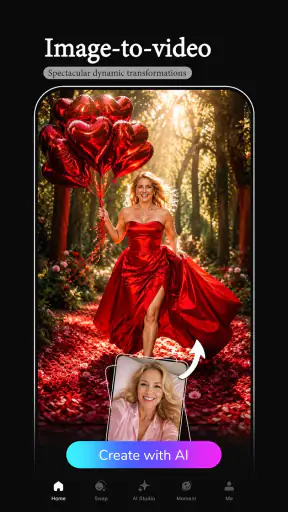
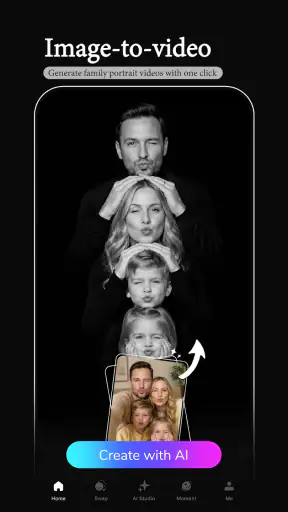
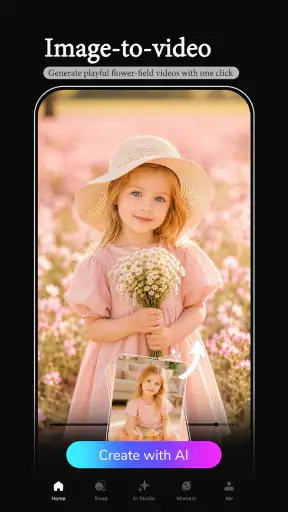

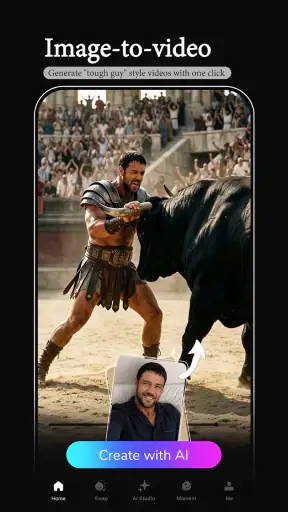
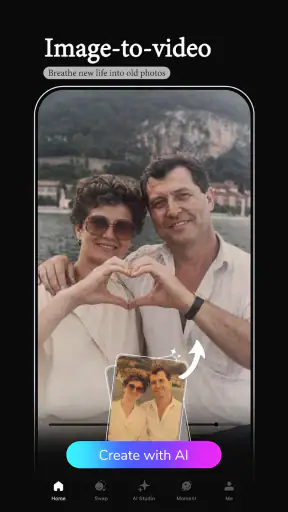
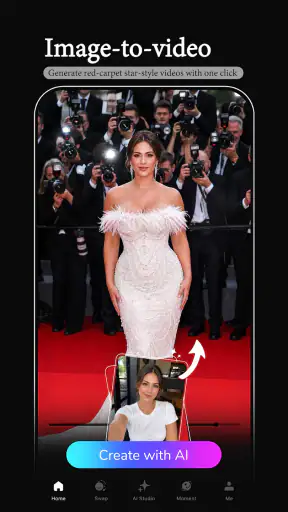
I tried FaceFun: AI Video Generator as a photography app with one simple goal: turn a still face photo into something more lively without opening a complicated editor. That narrow purpose is also its main appeal. You choose a suitable picture, let the app process it, and receive an AI-made video rather than spending time learning timelines, masks, keyframes, or manual animation tools.
My first impression was that FaceFun is aimed at quick personal creations, not serious video production. It makes the most sense when you want to give an old portrait a playful motion effect, prepare a short greeting for someone, or create a social post from a photo that would otherwise remain static in your gallery. The experience is approachable, but the quality depends heavily on the source image and on how patient you are when the network or processing step becomes less predictable.
How FaceFun feels when the connection matters
A simple idea with an online-style workflow
The app comes from Renrenlian and sits in the photography category, although its result feels closer to a lightweight creative video tool. The central workflow is deliberately compact: pick a photo, apply the available AI treatment, wait for the result, and decide whether it is worth saving or sharing. I found that simplicity more important than a long feature list because the app is not trying to replace a full editor.
That convenience also means the experience is shaped by connectivity. AI video generation is the kind of task that can take longer than selecting a filter, and the waiting stage becomes noticeable when the mobile signal is weak or a Wi-Fi connection is busy. I would not plan to use it as if every transformation happens instantly on the phone. A stable connection makes the process feel much more natural, while an interruption can turn a quick idea into a stop-and-start session.
This is especially relevant if you are creating something at a café, on public transport, or outside at an event. The photo selection itself is easy to do anywhere, but the important part of FaceFun begins after that selection. I prefer to prepare a small group of possible images first, then start processing when I have a reliable connection. That avoids repeatedly launching the same idea while moving between coverage areas.
Choosing the right photo is more important than choosing the most dramatic one
One of the less obvious lessons from using the app is that a technically ordinary portrait can be a better starting point than a visually exciting group shot. A clear face, reasonable lighting, and an uncomplicated background give the AI a cleaner subject to work with. If the face is partly hidden by hair, sunglasses, a hand, or another person, the final motion is less likely to look convincing.
I also recommend testing a copy of the photo rather than immediately relying on a precious original. This is not because the app is a photo organizer; it is because the creative result may be fun but not necessarily something you want to treat as the definitive version of a family picture. Keeping the original untouched lets you experiment freely and compare the generated clip with the still image afterward.
For portraits, I get better results when the face occupies a useful portion of the frame without being cropped at the eyes or chin. A very distant full-body photograph asks the system to understand more of the scene, while a close-up gives it a clearer subject. That does not guarantee a perfect result, but it is a practical way to improve the odds before spending time waiting for generation.
Where it fits in everyday mobile use
FaceFun is well suited to a casual phone routine. Imagine finding an old birthday photograph while browsing your gallery and wanting to send the person a small surprise. Instead of building a video from scratch, you can try turning that single image into a short animated moment, review the result, and share it if the expression feels natural enough. The value is not professional polish; it is the speed from memory to something playful.
It can also work for a private family group, a themed social post, or a quick visual message when a normal photograph feels too static. I would be more selective for a work presentation or an important announcement. AI movement can introduce an artificial look, and a result that is charming among friends may seem distracting in a formal setting.
The app is free to install, which lowers the barrier to trying it. However, in-app purchases range from $0.99 to $199.99 per item, so I would pay attention to any purchase screen before confirming a premium action. The broad range suggests that not every optional item has the same cost. My advice is simple: explore the free path first, understand what the app is offering at each step, and avoid treating a generated preview as a reason to buy immediately.
What happens when generation does not go smoothly
The most frustrating part of this type of app is not usually selecting a picture; it is dealing with a result that takes longer than expected or does not look right. A weak connection can make it unclear whether the request is still being processed or whether the attempt has stalled. When that happens, I avoid tapping repeatedly. Multiple attempts can create confusion about which result belongs to which photo and may waste time or data.
A better recovery routine is to note the chosen image, wait briefly, and then return to the workflow rather than changing several things at once. If the app gives you a result, inspect it before starting another request. If it does not, check the connection and retry with the same image once. Only after that would I switch to a different portrait, because changing both the network and the source photo makes it difficult to understand what caused the problem.
This is one area where FaceFun differs from a conventional editor. With a standard photo editor, a filter or crop usually responds immediately and locally enough to feel dependable. Here, the creative payoff is more ambitious, but the process is less immediate. You trade precise control and predictable timing for an automated result that can be produced with very little skill.
I would also keep the app updated when possible. The current version is 3.3.2, and using the current release is a sensible way to avoid problems that may already have been addressed. The app supports Android 7.0 and newer, which makes it accessible to many older devices, though an older phone may still feel less comfortable during image processing than a recent model. I would leave some storage space available for the source photo and any generated media instead of beginning with a nearly full device.
Using mobile data without wasting it
AI-generated video is more demanding than sending a small photograph, so I would not use FaceFun casually over mobile data when the allowance is tight. The safest habit is to select and prepare images while offline or on any connection you trust, then start the actual generation on Wi-Fi. This keeps the creative decision separate from the network-heavy part of the workflow.
That approach is useful when travelling. You can mark a few possible portraits in your gallery, wait until you are back at a hotel or another dependable connection, and process only the images that still seem worth animating. It also reduces the temptation to repeat a request simply because the first attempt was slow. A little planning makes the app feel more controlled.
I would avoid generating several near-identical versions just to compare tiny differences. For a casual greeting, one carefully chosen photo is usually a better starting point than a batch of uncertain attempts. If the first result is weak, change the source image meaningfully: use a clearer face, better lighting, or a less crowded composition. That is more useful than repeatedly submitting the same difficult portrait.
There is another data-conscious reason to be selective: a generated video is a larger object to handle than the original photo. Before sharing, I would check that the result is actually the version I want and remove unwanted experiments later. This keeps the gallery from filling with near-duplicates and makes it easier to find the successful clip when I need it.
Privacy-minded habits for personal photos
Because the app works with faces, I would use a little more care than I would with a generic color filter. I would begin with my own photographs or images I have permission to use, especially when the picture includes children, relatives, or people who may not expect their face to be animated. A funny result is not automatically appropriate to share publicly.
I also prefer to review the final audience before posting. A generated face video can be harmless in a private chat but confusing when removed from its original context. If the animation looks unusual, I would label it clearly as an edited creation rather than allowing someone to assume it documents a real moment. That small step protects the people in the image and prevents a playful effect from being misunderstood.
For sensitive images, I would choose a less personal photo or skip the experiment. FaceFun is best for low-stakes creativity, not for documents, confidential work material, or pictures whose wider circulation could cause discomfort. The app’s Everyone content rating describes its general audience suitability, but that does not remove the need for good judgment about the images a user selects.
Who will enjoy it, and who should choose another tool?
I think FaceFun is a good match for people who want a quick visual surprise and do not want to learn video editing. It is particularly approachable for casual creators, family users, and anyone who has a folder of portraits waiting for a more playful use. The fact that it is free to start makes experimentation less intimidating, provided you remain aware of optional purchases.
I would skip it if your priority is exact control. A traditional editor is better when you need to set the timing of every movement, combine several clips, add carefully positioned text, balance audio, or produce a consistent sequence for a client. FaceFun’s strength is the automated transformation of a photo; its weakness is that automation leaves less room to correct an individual detail.
I would also look elsewhere if your main goal is restoring a photograph rather than animating it. Restoration, sharpening, color correction, and manual retouching require different tools. FaceFun can make an image feel active, but that does not make it a replacement for a dedicated photo editor. Likewise, someone looking for a complete social video editor may find the single-photo focus too narrow.
The app has enough public interest to show a 4.2 average from around 16 thousand ratings, with over a million installs. Those figures make it easier to see that this is not an obscure experiment, but they do not guarantee that every portrait will work equally well. I would treat the numbers as a reason to try it, not as proof that the output will match a professional animation service.
My practical workflow for better results
When I use FaceFun, I follow a short process that saves more time than rushing into generation. First, I choose a well-lit portrait with one obvious face. Second, I crop away distracting edges while keeping the important facial features intact. Third, I connect to reliable Wi-Fi before starting the AI step. Finally, I review the result at normal size rather than judging it only from a small preview.
If the first attempt looks unnatural, I do not immediately blame the app. I compare the source image with a second portrait that has a clearer angle and a simpler background. This makes the experiment more informative. If both results are unsuitable, that is a useful signal that I need a different kind of tool rather than another random retry.
For sharing, I would keep the message short and let the animation carry the idea. A generated portrait can become less appealing when surrounded by too many stickers, captions, or additional effects from another app. If I need those additions, I would finish the FaceFun result first and then use a separate editor for the final layout, keeping each tool responsible for what it does best.
My connectivity verdict
FaceFun: AI Video Generator is most enjoyable when I treat it as a quick, connected creativity tool rather than a full editing studio. Its appeal is the low learning curve: a still photo can become a small video experiment without a timeline or technical training. That makes it easy to recommend for personal messages, playful portraits, and casual social content.
The trade-off is equally clear. The generation stage can make the experience depend on connection quality, and the automated result will not always provide the control or consistency that a conventional editor offers. I would use it on dependable Wi-Fi, start with carefully chosen portraits, watch the purchase prompts, and keep expectations realistic about AI-generated movement.
Renrenlian has made an accessible photography app for people who want an immediate creative result, and I can see myself returning to it when a single image needs a little more life. I would not make it my only photo or video tool, but for the right moment it offers a convenient shortcut. If your priority is a fast, low-effort transformation of one personal photo, FaceFun is worth trying; if you need precision, privacy-sensitive workflows, or professional editing control, choose a more specialized alternative.


